
Every app on your Mac,
up to date.
Upto finds every app on your Mac, checks for updates at the source, and installs them in one click.
For macOS 15 (Sequoia) or later.




 7
7 2
2 1
1

Take a closer look.
Eighteen things change.
Every source, every app, in one place. Here is what Upto does with them.
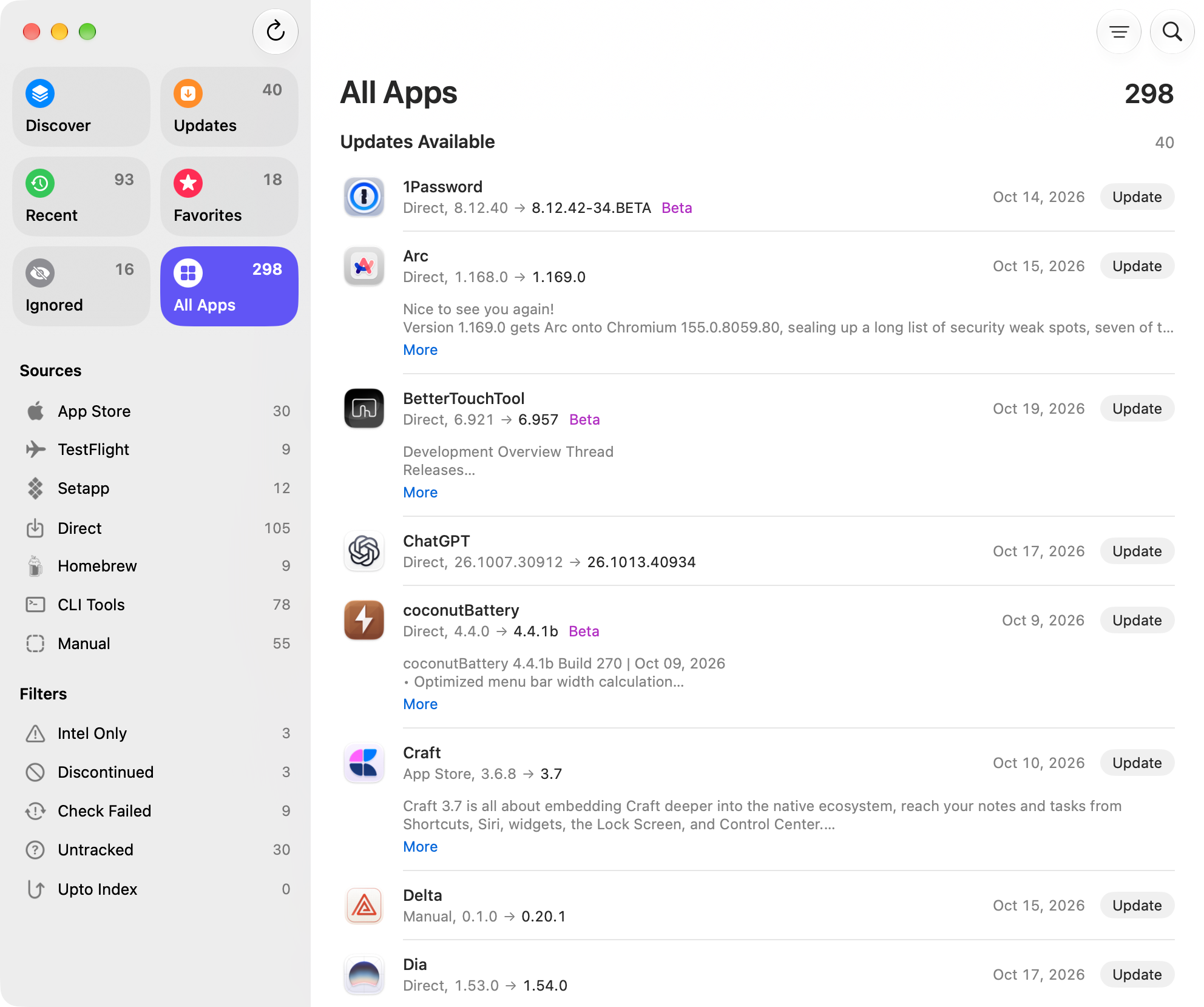
One list, every source
App Store, TestFlight, Setapp, Homebrew, and more.
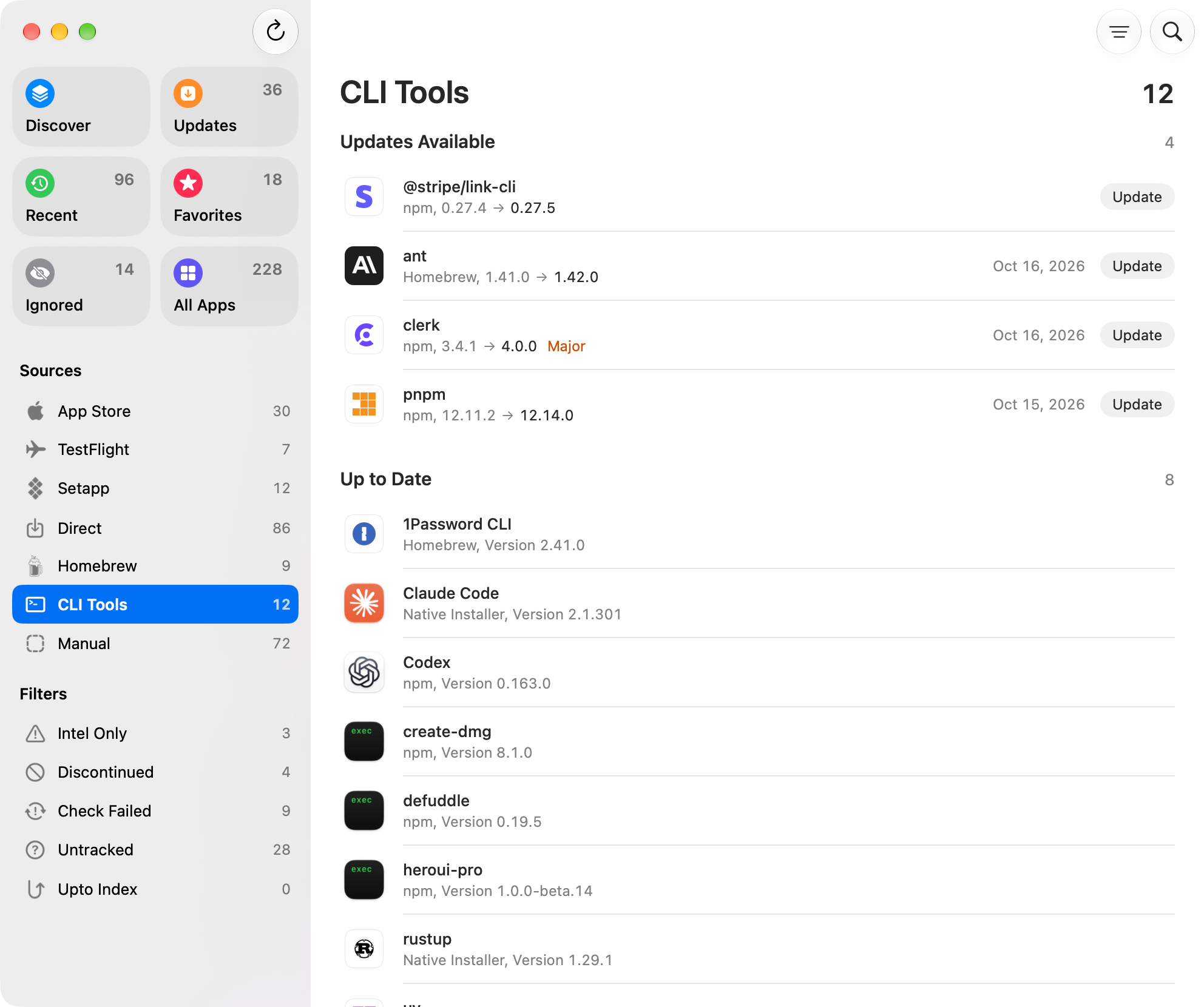
CLI tools, no Terminal
Homebrew, npm, pipx, uv, and tools with their own installers.

Sees updates made elsewhere
Apps updated on their own leave the list and show up in Recent.
Sources for apps with none
Upto finds one and watches it. You can add your own, too.
Upto Index
Updates no source announces, from versions shared anonymously.
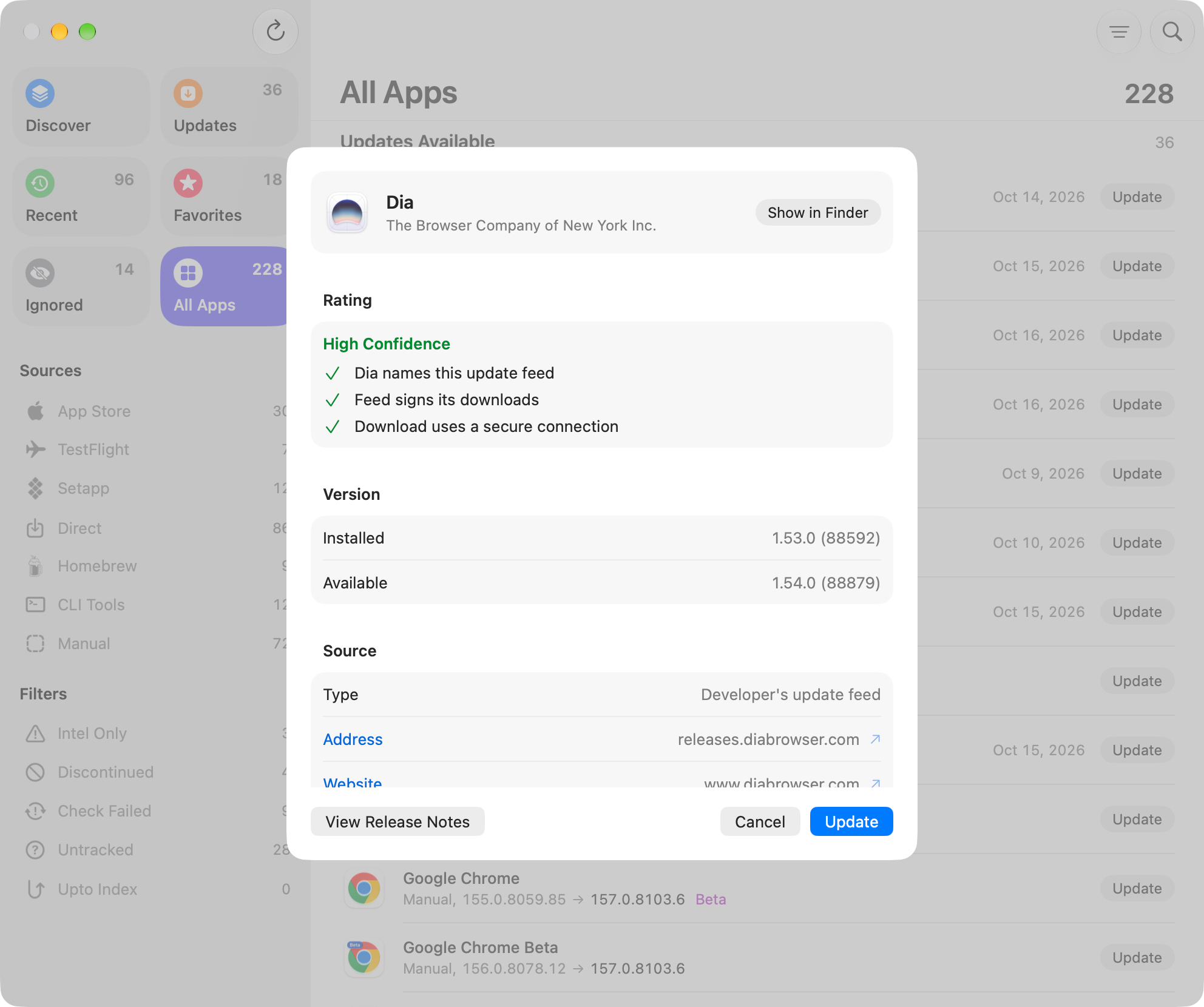
About This Update
See where an update comes from, how it installs, and its rating.
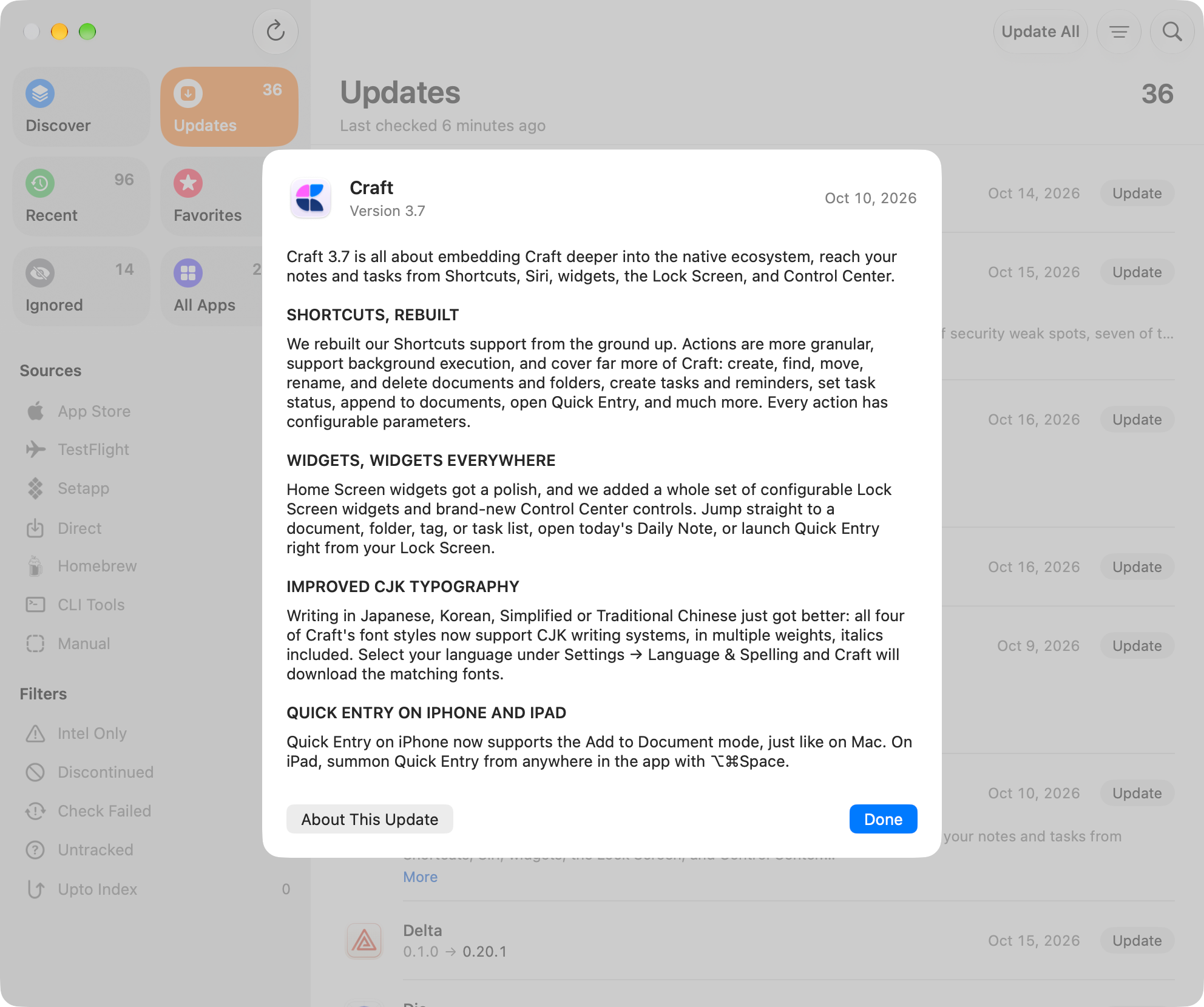
Release notes in your language
Translated on your Mac. Read them for the version you have, too.
Betas, when you want them
Include an app's betas, or keep it on stable versions only.
Skip or ignore updates
Skip one version, or ignore an app for a while or indefinitely.
Update All, with one question
Installs every well-rated update. Asks first about major versions.
One Touch ID for Update All
Turn on Touch ID in Settings, and one approval covers every install.
Verified, installed in place
Verified by signature or checksum. Nothing left in Downloads.
Checks on a schedule
Every hour, day, week, or month. Check any app on its own, too.

One notification for all updates
Start Update All from it, and see the count on the Dock icon.
From the menu bar
See the latest updates and check again without opening the window.
Stop an update midway
Stop a download or a Homebrew upgrade. Try a failed update again.
Apps that need attention
Spot apps that only run on Intel or are no longer maintained.
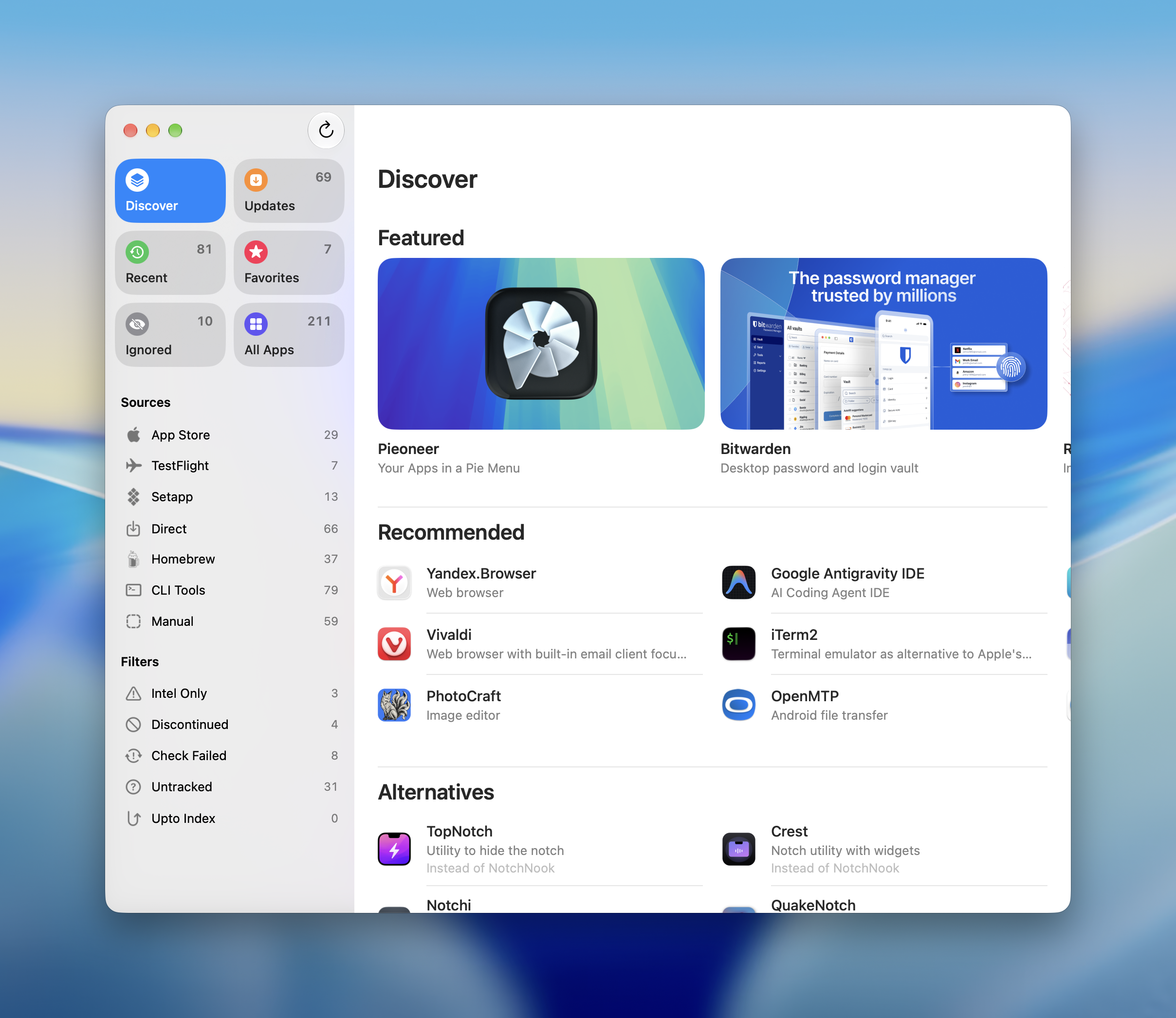
Discover
Featured picks and alternatives to discontinued apps.
Nothing to set up.
Open Upto
It finds the apps in your Applications folders on its own.
No account needed
No sign-in. Every app is already filed under where it came from.
Choose what to update
Everything with an update waits in one list.
Works with Sweeper.
Control-click any app in Upto to reset or uninstall it with Sweeper.

Sweeper
Sweeper uninstalls any Mac app and cleans up the files it leaves behind.
Learn more about SweeperPay yearly, or once.
Yearly
Launch offerper year
Up to 5 Macs. Renews at this price. Cancel anytime.
Try Upto before you buy. Download for macOS
After the launch offer ends, new subscriptions are $19.99 per year. Save 20% with the education discount.
Questions, answered.
Does Upto replace the App Store?
No. Upto shows App Store and TestFlight apps in the same list. If the mas command-line tool is installed, Upto installs App Store updates when you click Update. Otherwise, and for TestFlight apps, it opens the App Store.
Does Upto need Homebrew?
No. Homebrew is needed only for the apps and command-line tools you installed with it, and Upto upgrades those through it. Everything else updates without it.
How does Upto know a download is safe?
Upto verifies every update it installs against the developer's signature. Homebrew verifies the apps it updates against their published checksum, when there is one. If a check fails, or the download doesn't run on your Mac, the update isn't installed.
Why is there a yearly plan?
Finding updates is ongoing work: sources change, download pages move, and Upto Index runs on servers. Subscribe during the launch offer, and your price stays the same for as long as you stay subscribed.
What happens if I cancel?
You keep the version you have, with every feature on your Mac, and it keeps checking your apps for updates. Updates to Upto itself and Upto Index return when you subscribe again.
Does Pay once include future updates?
Yes. Pay once includes every update until the next major version, along with Upto Index and a discount on that version.
Is Upto included in Parcse Supporter?
Yes. Parcse Supporter covers Upto on up to three Macs and includes every update and Upto Index while you're a member. When your membership ends, you keep the version you have.
What leaves my Mac?
Upto checks for updates and downloads them online, and translates release notes on your Mac. With an active license, it shares with Upto Index the identifier, developer, and version of apps signed by their developer, the names of command-line tools from public catalogs, and which apps it can't check for updates or find release notes for, without anything that identifies your Mac. Apps you exclude or ignore indefinitely are never shared. Your other Macs on the same license also learn where to download each update. Settings shows what was shared, and turning off Use Index stops sharing and looking up versions.
Does Upto track how I use it?
No. Upto has no analytics and shares nothing about you with sponsors. When Discover shows a sponsored app, Upto reports that it was shown, at most once a day, and opening one counts as a click.
More questions on the Upto FAQ page.